🍲 One decision less

It's 6:47pm. “What's for dinner?”

Make My Meal is the family meal planner that answers before anyone asks: tonight's dinner and the kids' tiffin, matched to your family's tastes, allergies and routine. Saved a recipe on Instagram or YouTube? Drop it into your week. Have a cook? The recipe lands on their WhatsApp.

Your first 30 days are free — full access, no card needed.

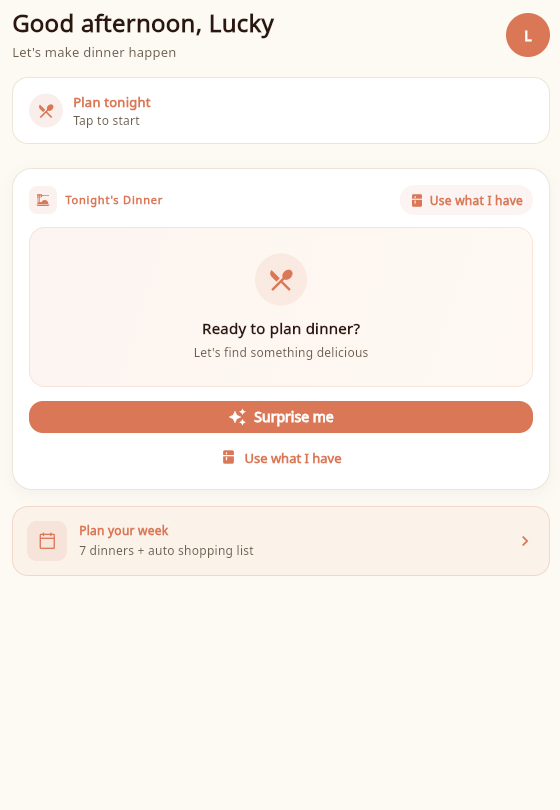
Make My Meal Today screen with tonight's dinner planner
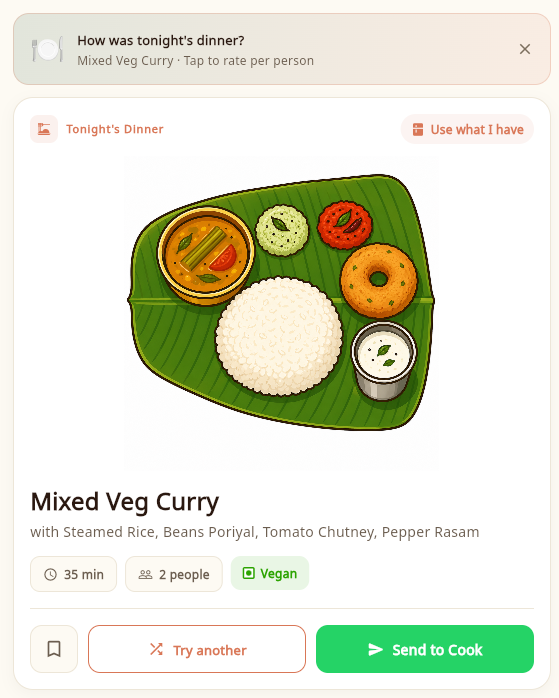
AI dinner suggestion: Mixed Veg Curry with steamed rice, ready to send to your cook
See it in 80 seconds

The 7pm question, answered before it's asked.

One weekday with Make My Meal: the kids' tiffin, tonight's dinner, your cook on WhatsApp and the whole week, planned.

How it works

From "what should we eat?" to done in three taps.

Built for the person who carries the mental load of every meal, and for the cook who just needs clear instructions.

01

Tell us about your family

A one-minute setup: who's at home, the kids' ages, allergies, veg days and favourite cuisines. Make My Meal learns the rest from your feedback.

02

Get tonight's dinner in seconds

One tap on “Surprise me” and the AI suggests a dinner your family will actually eat: seasonal, varied, and never a repeat of this week. Swap it if you're not feeling it.

The pilot

Before we build further, we want to hear from you.

Your honest feedback will help shape what Make My Meal becomes.

Everything on the menu

One app for the whole food day.

Not just another recipe app. A family meal planner that thinks ahead so you don't have to.

New

Save recipes from Instagram & YouTube

Saw a recipe reel your family would love? Tap Share → Make My Meal, or paste the link. The ingredients and steps come out ready to cook, with the creator's quantities and allergy warnings for your family. Drag it onto any day of the week, and your cook gets the recipe and the video link on WhatsApp.

  1. 1Share a reel, video or recipe page
  2. 2Ingredients & steps, ready to cook
  3. 3Drop it onto Tuesday
  4. 4Your cook gets it on WhatsApp

Works with Instagram, YouTube, TikTok and most recipe websites.

🎒

Tiffin planner for kids

Per-child lunchbox (tiffin) ideas that are age-appropriate, school-friendly and allergy-aware, and never the same thing two days in a row.

🗓️

Plan the whole week

A weekly meal planner for the whole family: seven dinners plus tiffins in one go, with a cuisine-diversity meter. Swap any day, or send the full week to your cook on WhatsApp at once.

🛒

Smart shopping lists

Auto-built from your meal plan and sorted by produce, dairy, protein and pantry. Share it on WhatsApp with your cook, grocer or spouse.

🥕

Use what you have

Tell it what's in the fridge, or snap a photo, and get a dinner that uses up what's already there before it goes to waste.

😍

Gets smarter every meal

After dinner, everyone rates the meal with a quick emoji tap. Every reaction teaches the app what your family loves.

🌏

Speaks your kitchen's language

The app works in English, हिंदी and Français, and messages to your cook go out in the language they read best.

Made for real households

Built for real families.

Culturally authentic meals, where Palak Paneer stays Palak Paneer, with the festivals, seasons and school routines of home baked in.

🍛 Culturally authentic 🧑‍🍳 Cook-friendly 🥜 Allergy-aware 🧒 Per-child personalisation 🥗 Veg-days friendly 🪔 Seasonal & festive
FAQ

Questions, answered.

Is Make My Meal free?

Your first 30 days are free, with full access — daily dinners, kids' tiffins, weekly plans, and WhatsApp instructions for your cook. No card or UPI needed: just sign in and start planning. After your free month, it's a simple subscription (monthly or yearly), priced for your country and shown in the app before you commit.

Why does my bank show a small ₹1 / $1 charge from Google when I subscribed?

That's a temporary verification hold from Google, not a charge from us. When you attach a payment method to subscribe, Google may place a small pending hold to confirm the card or UPI account is valid — your bank releases it automatically within a few days, and the money never leaves your account. Google's page on authorization holds.

How do I cancel?

Anytime, in two taps. On Android: Play Store → your profile → Payments & subscriptions → MakeMyMeal Pro → Cancel. On iPhone: Settings → your name → Subscriptions → Make My Meal → Cancel. Your free month needs no payment info, so there's nothing to cancel unless you subscribe; cancel a subscription anytime and you keep access until the end of the period you paid for. In India you can also revoke the UPI Autopay mandate in your UPI app. Note: deleting the app does not cancel a subscription.

What payment methods can I use?

Whatever your app store supports in your country. On Android, that's Google Play billing — in India including UPI (Google Pay, PhonePe, Paytm and others), credit/debit cards, and netbanking; in Mauritius, Visa and Mastercard cards. On iPhone, it's App Store billing (cards and Apple Pay). Payment is handled entirely by Google or Apple — we never see or store your payment details.

Is Make My Meal a family meal planner or a recipe app?

A family meal planner. Recipe apps give you ideas; Make My Meal plans your family's dinners and the kids' tiffins around your tastes, allergies and routine, builds the weekly plan and shopping list, and sends it all to whoever does the cooking.

Can I send a recipe to my cook on WhatsApp?

Yes, that's the heart of the app. Tap Send to Cook and WhatsApp opens with the recipe already written in your cook's language (English, हिंदी or Français): tonight's dinner, the kids' tiffin or the whole week. You can also send the shopping list on WhatsApp.

Can I save recipes from Instagram, YouTube or TikTok?

Yes. On your phone, tap Share → Make My Meal on any recipe reel, video or website, or tap Add from a link in the app and paste it. Make My Meal pulls out the ingredients and steps, keeps the creator's quantities, warns you about your family's allergies, and lets you drag the recipe onto any day. When a post doesn't include the full recipe, we fill in the gaps and clearly mark what we added.

Does my cook need to install anything?

No. Your cook receives cooking instructions as a normal WhatsApp message from you, written in their language — English, हिंदी or Français. Nothing to install, no account needed on their side.